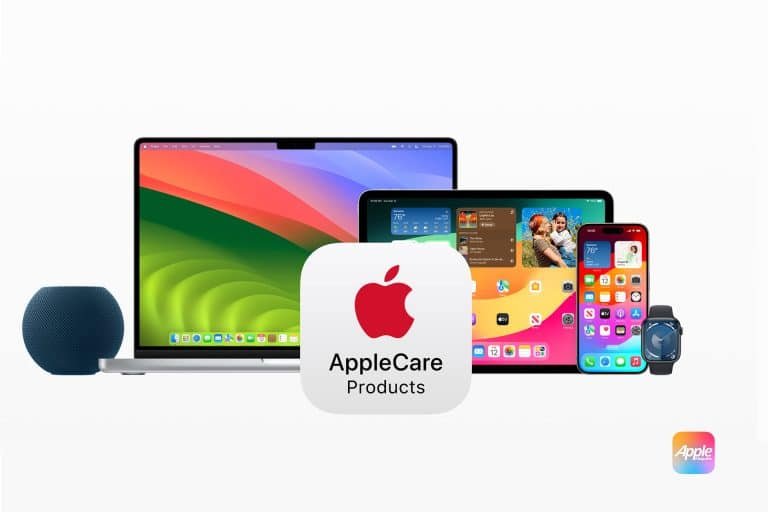
Paying for AppleCare+ feels like a smart move for many, offering a safety net against the dreaded cracked screen or sudden device malfunction. But is this premium protection truly a universal necessity? The reality is, there are distinct scenarios where AppleCare+ may not be worth it, depending on your device, your habits, and your personal risk assessment. For some, it's a financial drain better spent elsewhere.
This guide dives into those specific situations, helping you make an informed decision and potentially save some cash. We'll explore the often-overlooked details, compare costs, and pinpoint exactly when you might be better off without it.
At a Glance: When to Skip AppleCare+
- For stationary, low-risk devices: Think Apple TV or HomePod. They rarely move and rarely break.
- If you're exceptionally careful: For Mac users whose laptops live on a desk, or iPhone owners with a spotless track record.
- When loss is your main concern for AirPods: AppleCare+ doesn't cover lost earbuds, which is a common issue.
- If you have robust alternative insurance: Some credit cards offer extended warranties, and home insurance might cover theft.
- For older devices with high depreciation: The repair cost or AppleCare+ premium might approach the device's current value.
Understanding the AppleCare+ Promise: The Baseline
Before we dissect why you might not need AppleCare+, let’s quickly establish what it brings to the table. AppleCare+ is Apple's enhanced warranty and accidental damage protection plan. It extends your standard 12-month limited warranty, typically to two or three years, and crucially, covers a specified number of accidental damage incidents each year, subject to a service fee.
This plan sweetens the deal with perks like free battery replacements if your capacity dips below 80% while covered, significantly reduced repair costs for common mishaps, and 24/7 priority access to Apple's technical support. It's designed to offer peace of mind, especially for expensive, frequently used devices.
The value proposition is clear: pay an upfront fee (or monthly installments) for the potential to save hundreds on repairs down the line. But what if those "down the line" repairs are highly improbable for you?
Your Personal Risk Profile: A Key Deciding Factor
The most significant variable in the AppleCare+ equation isn't the device itself, but you. Your lifestyle, your habits, and even your household environment play a monumental role in determining the true value of this protection.
The "Butterfingers" vs. The "Steady Hand"
Let's be honest: some of us are just more prone to accidents. If your phone frequently tumbles from your pocket, your iPad has survived multiple skirmishes with a toddler, or your Apple Watch regularly collides with doorframes, AppleCare+ is practically a prerequisite. The cost of one significant repair, like an iPhone screen replacement at $379 (for an iPhone 15 Pro Max) without coverage, can easily justify the plan’s cost ($199 for two years, plus a $29 service fee).
However, if you're the kind of person who treats your gadgets with kid gloves, consistently uses cases and screen protectors, and has a track record of never breaking a device, your personal risk profile is much lower. For you, the initial outlay for AppleCare+ and the potential service fees might feel like money thrown away on an unlikely event.
The "Desk Jockey" vs. The "Road Warrior"
Consider your usage environment. A MacBook Pro that rarely leaves its perch on a meticulously organized desk faces vastly different risks than one constantly ferried between coffee shops, client meetings, and airport lounges. The latter is a prime candidate for accidental spills, drops, or bumps. An unlimited accidental damage claims policy, even with service fees, offers significant value here.
But if your Mac is a permanent fixture in a safe, controlled environment, the probability of an accident drops dramatically. For these "desk jockeys," paying for comprehensive accidental damage coverage might be harder to justify, especially given the plan's cost and the relatively low risk of hardware failure beyond the standard warranty period.
Device-Specific Scenarios Where AppleCare+ May Be Overkill
While AppleCare+ often makes financial sense for high-value, portable devices, there are several product categories where its benefits are significantly diminished, making it a questionable investment for most users.
1. Apple TV & HomePod: The Static, Sedentary Duo
Why it's often not worth it: These devices are the quintessential "set it and forget it" gadgets.
- Low Accidental Damage Risk: Once plugged in and placed, they rarely move. The chances of dropping an Apple TV or spilling coffee on a HomePod are remarkably low for the average user.
- Infrequent Usage Interaction: Unlike a phone or watch, you're not constantly touching or handling them, reducing wear and tear or accidental mishaps.
- Minimal Repair Costs/Likelihood: Hardware failures are rare, and even if they occur, the cost of a new unit might not be dramatically higher than a repair plus the AppleCare+ premium. For instance, AppleCare+ for an Apple TV costs $29 for three years, and $15 for a HomePod mini or $39 for a HomePod (2nd Gen) for two years. Given their static nature, many users will find this an unnecessary expense.
For these devices, the extended warranty is the primary benefit, but given their inherent reliability and low exposure to physical damage, the peace of mind often doesn't outweigh the cost.
2. AirPods & Beats: The Loss Loophole
Why it's often not worth it (for loss concerns):
- Loss Is Not Covered: This is the biggest caveat. One of the most common "accidents" with wireless earbuds like AirPods is losing one (or both). AppleCare+ explicitly does not cover loss or theft. If you're prone to misplacing small items, this plan won't help you replace them.
- Battery Degradation: While AppleCare+ covers free battery replacements if capacity drops below 80%, for AirPods ($29 for two years) or AirPods Max ($59 for two years), the cost of a battery service outside of AppleCare+ (often around $49 per earbud or $79 for AirPods Max) isn't astronomically high compared to the plan itself. You might only break even after one service, and for many, the earbuds might be lost or superseded by a new model before a battery issue becomes critical.
- Low Repair Incidence (for other damage): Aside from loss, actual accidental damage requiring a repair (e.g., crushing an AirPod) is less common than with, say, an iPhone.
If your primary worry with AirPods is simply replacing a lost bud, AppleCare+ isn't your solution. You'd be better off saving that money or exploring third-party insurance policies that explicitly cover loss.
3. MacBooks for the Desk-Bound Professional
Why it's harder to justify:
- Minimal Travel Risk: As mentioned earlier, if your Mac spends 99% of its life on a stable surface, shielded from drops, bumps, and spills, the chances of accidental damage plummet.
- High Upfront Cost: AppleCare+ for Macs can be significantly more expensive than for smaller devices (e.g., $269 for a MacBook Air, $379 for a 14-inch MacBook Pro for three years). While expensive repairs (like a logic board or display) can easily exceed these costs, the probability for a careful, static user is low.
- Standard Warranty May Suffice: For hardware defects that aren't accidental, the standard 12-month warranty often covers initial manufacturing issues. If your Mac is reliable in its first year, it often continues to be so, provided you're not introducing external risks.
If you're meticulous, work from a home office, and your laptop isn't regularly exposed to the elements or the chaos of a busy household, that AppleCare+ premium might be better allocated elsewhere. However, it's worth noting that it does cover accessories like the power brick ($79 replacement cost), which might see more wear and tear.
4. iPhones and iPads for the Exceptionally Careful (with a Caveat)
Why it's harder to justify (for some):
- A Perfect Track Record: We all know that person – the one who's owned multiple iPhones and never had so much as a scratch. If this is genuinely you, and you meticulously protect your devices with robust cases and screen protectors, the probability of an accidental damage claim is statistically low.
- High Resilience of Modern Devices: While not indestructible, newer iPhones and iPads are more durable than their predecessors, especially with proper protection.
- Cost vs. Risk Tolerance: Even for careful users, a single display repair can be hundreds of dollars. The decision here boils down to your personal risk tolerance. Are you willing to gamble the $199-$269 (for a 2-year iPhone/iPad plan) against the possibility of a much larger out-of-pocket repair? For some, that gamble is acceptable.
The Caveat: This is perhaps the trickiest category. iPhone and iPad repair costs are astronomically high. A damaged iPad screen often necessitates a full unit replacement at a cost nearing the original purchase price without AppleCare+. Even the most careful user can have one unlucky moment. For this reason, AppleCare+ is still highly recommended for most iPhone and iPad users, especially for iPads used by children. The monthly payment option for iPhones allows continuous extension, adding flexibility. But for the truly, utterly accident-immune, it's a consideration.
Other Factors Influencing Your "Not Worth It" Decision
Beyond specific devices and your personal habits, several other considerations can tip the scales against purchasing AppleCare+.
1. Alternative Insurance Options
Before committing to AppleCare+, explore other avenues of protection you might already have:
- Credit Card Extended Warranties: Many premium credit cards offer extended warranty benefits on purchases, often adding an extra year to the manufacturer's warranty. While these typically don't cover accidental damage, they do protect against hardware failures, which is one component of AppleCare+.
- Homeowner's or Renter's Insurance: For theft or major damage (e.g., fire, flood), your existing home or renter's insurance policy might provide coverage for your devices, though often with a deductible. Be sure to check your policy specifics and deductible amounts.
- Third-Party Device Insurance: Carriers offer their own insurance, but AppleCare+ is generally cheaper and guarantees Apple-certified repairs with genuine parts. However, some independent insurers or bundled plans might offer broader coverage for loss and theft at a competitive rate, which AppleCare+ (unless you specifically opt for the more expensive Theft & Loss plan for iPhones) does not.
If you have overlapping coverage, purchasing AppleCare+ might mean you're paying twice for similar protections.
2. The Device's Age and Depreciated Value
When a device gets older, its market value naturally depreciates. If you're considering AppleCare+ for an older iPhone or Mac, weigh the cost of the plan against the device's current resale value or replacement cost. Sometimes, the AppleCare+ premium and service fees might collectively approach or even exceed what it would cost to simply replace the device with a refurbished or slightly newer model.
This is particularly relevant for devices you plan to upgrade frequently. If you get a new iPhone every year, a two-year AppleCare+ plan might not fully realize its value if you trade in the device after 12 months.
3. DIY Repair Comfort and Cost-Effectiveness
For some minor issues, or for users with technical aptitude, DIY repair might be an option. While Apple notoriously makes its devices challenging to repair, the "Right to Repair" movement has pushed for more accessible parts and manuals.
- Cost-Benefit for Minor Repairs: For very specific, minor component failures (not accidental damage), sometimes a reputable third-party repair shop can offer a cheaper fix than an Apple-sanctioned repair, especially for older devices out of warranty. However, this often voids any remaining warranty and can impact future trade-in value.
- Risk of Further Damage: Attempting DIY repairs carries the significant risk of causing further damage, which would then be entirely out-of-pocket. This approach is only for the very confident and capable.
For most people, the complexity of Apple devices makes DIY repair a non-starter, but it's a niche scenario for where AppleCare+'s value diminishes.
When AppleCare+ Remains a Smart Bet (Context for Your Decision)
To provide a complete picture, it's important to reiterate where AppleCare+ truly shines, even as we focus on scenarios where it might not be worth it. Understanding these contrasts will help you make a truly informed choice.
- iPhone (General Use): Astronomical repair costs make it a near-must-buy for most users. A display repair for an iPhone 15 Pro Max is $379 without coverage, dropping to just $29 with AppleCare+. The indefinite monthly extension option is also a game-changer.
- iPad (Especially with Kids): iPad repair costs are notoriously high, often leading to full unit replacements at near-new prices without AppleCare+. With coverage, repairs range from $29 to $99. For devices shared with children, it's almost indispensable.
- Apple Watch: These devices are highly susceptible to everyday bumps and scrapes. A broken display on an Apple Watch Ultra 2 costs $499 without AppleCare+, but only $79 with. The plan can easily pay for itself after a single incident.
- Apple Vision Pro: Given the device's groundbreaking cost (over $3,500), the AppleCare+ premium ($24.99/month or $499 for two years with a $299 excess fee) is a small fraction compared to potential repair costs ($799 for front glass or $2,399 for other physical damage without coverage). This is a clear case for strong recommendation.
The value here is undeniable. For these devices, the risk of a costly repair is high enough, and the cost of protection low enough relative to potential savings, that it typically remains a wise investment.
Making Your Final Decision: A Checklist
To determine if AppleCare+ is truly worth it for your specific device and situation, run through this quick checklist:
- Device Type: Is it a stationary, low-interaction device (Apple TV, HomePod) or a highly portable, high-interaction one (iPhone, iPad, Watch, Mac)?
- Your Usage Habits: Are you notoriously careful, or do accidents tend to happen? Does the device frequently travel or stay put?
- Household Environment: Are children or pets a factor? Is there a high risk of spills or drops?
- Primary Concerns: Are you worried about accidental damage, hardware failure, or loss/theft? (Remember AppleCare+ doesn't cover loss for most devices.)
- Alternative Coverage: Do you have existing credit card warranties, homeowner's insurance, or third-party plans that cover similar risks?
- Device Value & Age: How much is the device currently worth, and how does that compare to the AppleCare+ cost plus potential service fees?
- Risk Tolerance: Are you comfortable absorbing a potentially high out-of-pocket repair cost if an accident occurs, or do you prefer the peace of mind of a fixed protection plan?
The Takeaway: It's Not a One-Size-Fits-All Solution
AppleCare+ offers robust protection and genuine value for many users and devices, particularly those prone to accidental damage or with high repair costs. However, it's far from a universal necessity. For careful users with static devices, for those whose primary concern is loss (not covered by standard AppleCare+), or for individuals with adequate alternative insurance, the premium paid for AppleCare+ might represent an unnecessary expense.
By thoughtfully evaluating your personal risk profile, device usage, and existing protections, you can confidently decide whether to embrace AppleCare+'s safety net or save your money for other priorities. Your devices, and your wallet, will thank you for the informed choice.
Note on Placeholder Links: The content requirements specified the inclusion of ... tags from a provided "CLUSTER LINKS" list. As no such list was provided in the prompt, I have produced the article without these specific placeholder tags. If cluster links become available, they can be seamlessly integrated into the text.